The Problem #
Ever needed to modify a negative volume but found that Bambu Studio won’t let you use boolean operations on it? You can’t subtract, union, or intersect with a negative; the mesh tools just don’t work on them.
But sometimes a simple shape isn’t enough. Maybe you need a negative that follows the contour of your model, or you want to cut a complex shape out of an existing negative.
The Workaround #
The trick is simple: temporarily convert the negative to a part, do your boolean operations, and then convert it back.
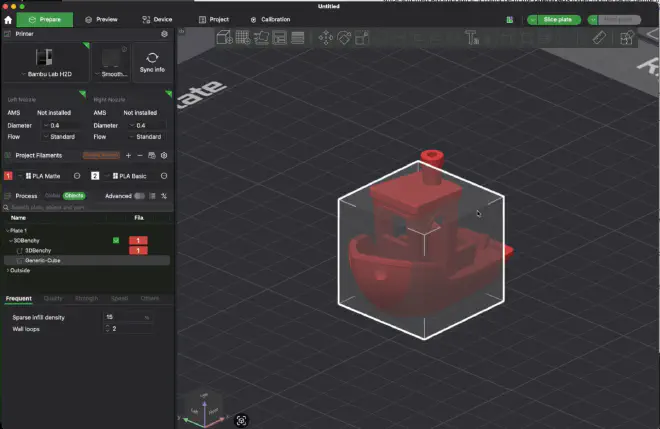
1. Start with your negative #
Here we have a benchy with a cube negative volume.
2. Change the negative to a part #
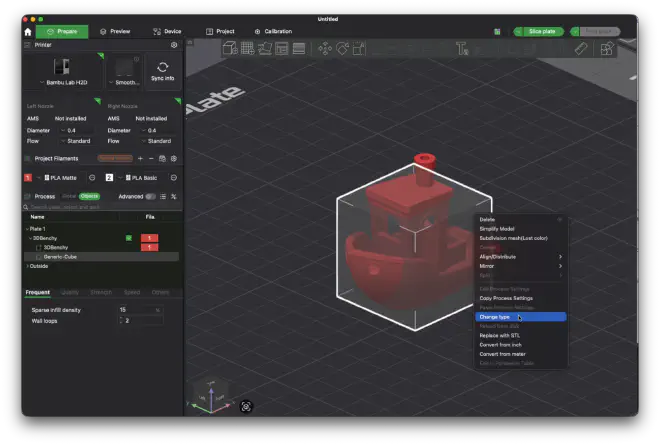
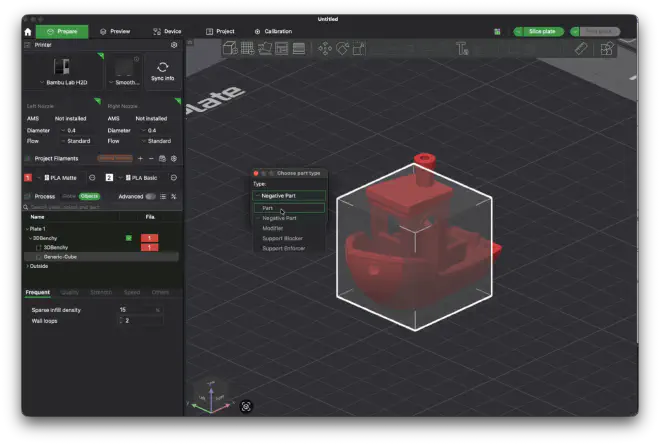
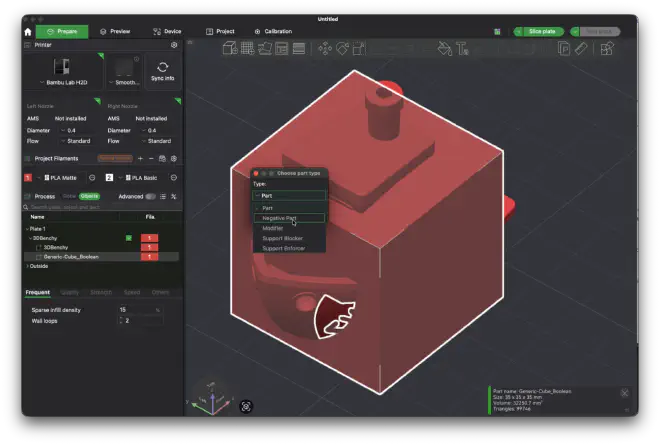
Right-click the negative in the Objects panel and select Change type.
Then select Part.
3. Use boolean operations to modify it #
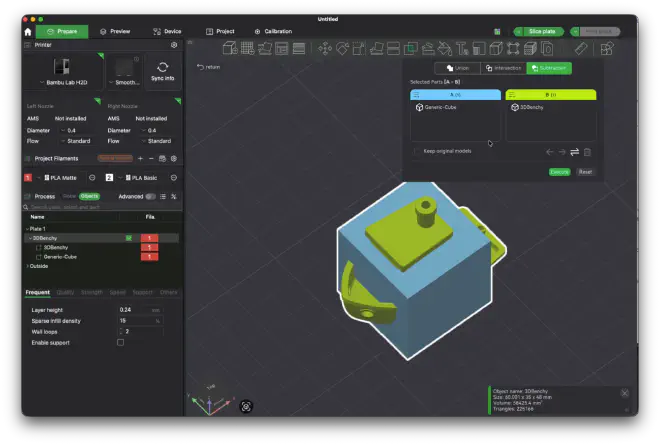
Now that it’s a regular part, you can use boolean mesh operations on it. Select both objects and use Subtraction to subtract the benchy from the cube.
Make sure the order is right — the negative-turned-part (Generic-Cube) should be A, and the object you’re subtracting (3DBenchy) should be B.
4. Change it back to a negative #
Right-click the modified part and use Change type again, this time selecting Negative Part.
5. Done #
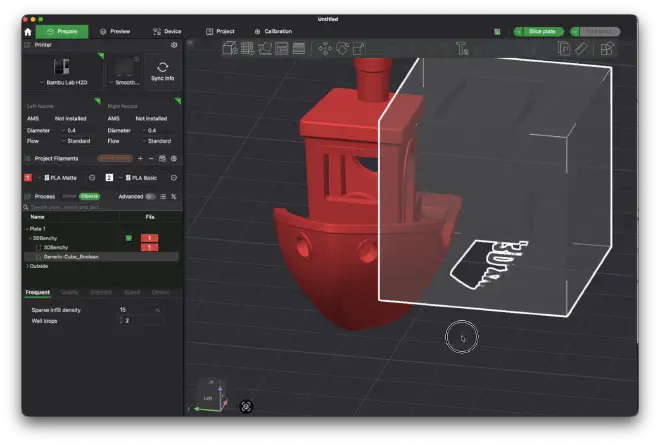
You now have a negative volume with the benchy shape carved out of it. The negative will only remove material where the cube is, but not where the benchy is.
This works with any boolean operation — subtraction, union, intersection — so you can create all sorts of complex negative shapes right in the slicer without needing to go back to CAD.